

Thoughtfully Transforming Healthcare Delivery TM
- Clinical Resources
- Order Testing
- …
- Clinical Resources
- Order Testing
Thoughtfully Transforming Healthcare Delivery TM
- Clinical Resources
- Order Testing
- …
- Clinical Resources
- Order Testing
PATHWAY SERVICES
Laboratory Test Orders – Interprofesional Consultations – Subspecialist Referrals
How Pathway Services Work
1Select a Service
Choose the appropriate form for laboratory testing or interprofessional consultation.
2Submit Your Request
Complete and submit the Pathway Request Form using any of our five convenient submissions methods.
3Pathologist Assignment
Your assigned Pathway Pathologist serves as your Primary Pathway Clinician (PPC) and central point of access to Pathway services.
4Integrated Clinical Expertise
Your Pathologist coordinates testing, clinical interpretation, and subspecialty consultations to support informed patient care.
New to the BioConnetiX Clinical Pathway Network?
If this is your first time requesting services, please complete Provider & Practice Registration before submitting your first request.
Request Pathway Services using the Forms Below
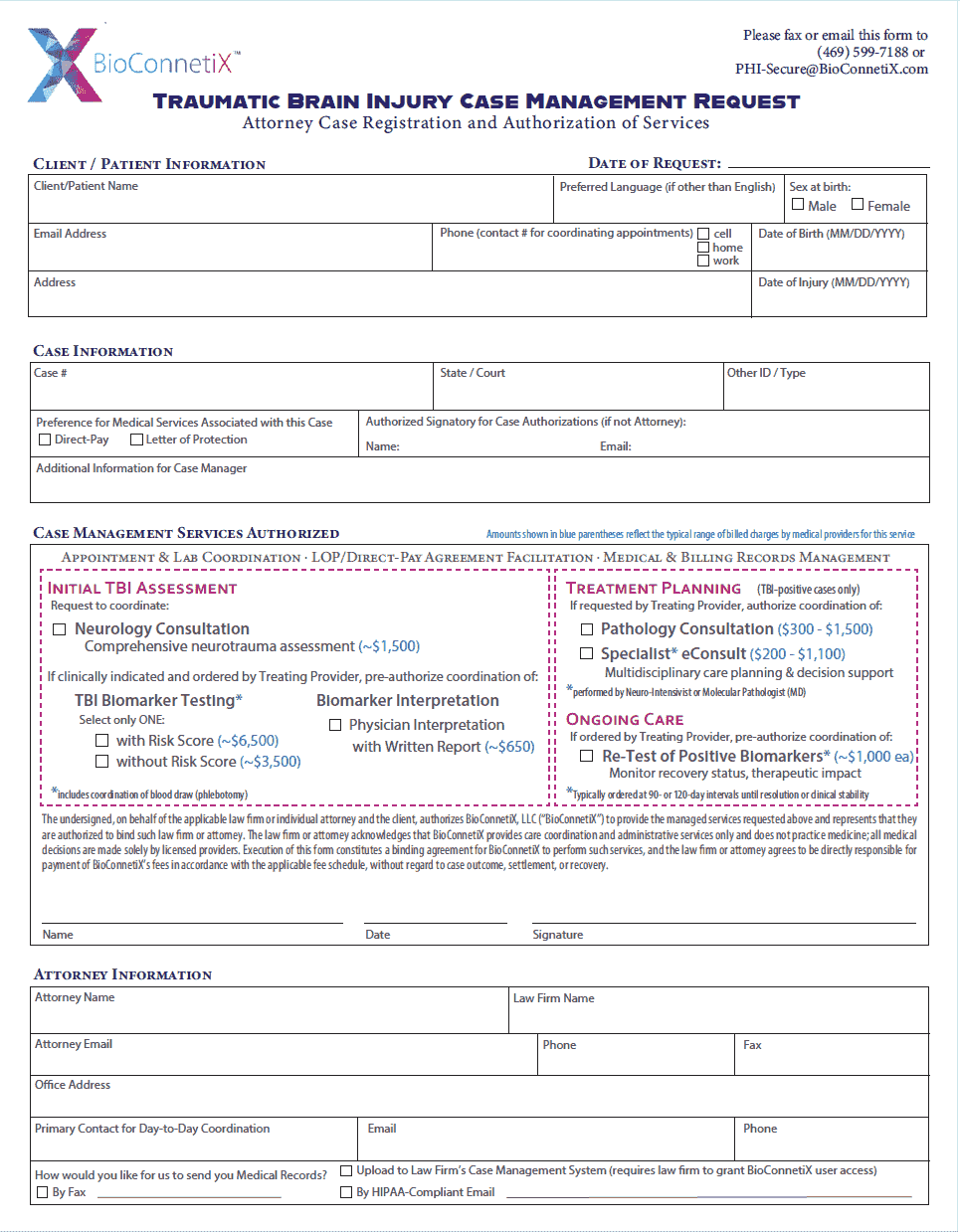
Laboratory Requisition Form
Traumatic Brain Injury (TBI) Clinical Pathway
Use this form to order laboratory testing and request associated pathology interpretation services for patients with suspected traumatic brain injury.
Digital completion and submission via DocuSign takes approximately 3 minutes.
Alternative Submission Methods for the TBI Clinical Pathway Laboratory Requisition Form:
Physician Consultation Request
Traumatic Brain Injury (TBI) Biomarker Pathway
Use this form to request any of the following physician consultation and interpretation services:
- Interprofessional Consultation & Clinical Integration Report: Comprehensive case review involving neurologic subspecialists and other consulting specialists, as clinically appropriate, following a positive TBI diagnosis. The designated Primary Pathway Clinician (PPC) coordinates the multidisciplinary review and provides an integrated clinical report to the Requesting Provider.
- Pathology Interpretation Services: Clinical interpretation of laboratory findings by a participating Pathway Pathologist.
- Clinical Decision Support: Physician-to-physician consultation regarding diagnostic test selection, treatment response monitoring, or longitudinal patient management for traumatic brain injury.
Alternative Submission Methods for the TBI Clinical Pathway Physician Consultation Request Form:
Submission Instructions - Pathway Requests & Supporting Documentation
BioConnetiX offers multiple ways to submit a new Pathway Request or send additional documents and information for an existing request. Choose the submission method that works best for you.
Instructions | Submit Digitally via DocuSign
Follow the steps below to complete a new Pathway Request Form electronically and sign and submit via DocuSign
Step 1 — Access the Form
Click the link (or scan the QR code) to open the appropriate Pathway Request Form.
This action will activate the DocuSign authorization process.
Step 2 — Complete the DocuSign Authorization Process
Enter the information for the Authorized Signatory. (This step occurs before the form itself is displayed.)
*For all forms, you will be prompted to Enter the Authorized Ordering or Requesting Provider's name, individual NPI, and email address.
This step establishes the authorized signatory within DocuSign and accommodates both:
- Providers authorized to independently order and sign laboratory tests.
- Providers whose laboratory orders require review and signature by an authorized Supervising Physician.
Step 3 — Complete & Submit the Form for Signature
Once the Authorized Signatory information is entered, the selected Pathway Request Form will open in DocuSign.
Complete all required fields electronically, then select Submit to initiate the signature process.
Step 4 — Authorized Signatory Reviews & Signs
- If you are the Authorized Signatory: The signature page will appear automatically. Review and electronically sign the form to complete the DocuSign process.
- If you are submitting on behalf of the Authorized Signatory: DocuSign will send the Authorized Signatory an email containing a secure link to review and sign the completed form. Patient information and order details will not be included in the notification email.
The Pathway Request will be submitted for processing once the required electronic signature has been completed.
Step 5 — Confirmation & Access to Completed Forms
The Authorized Signatory will receive an email confirming completion of the DocuSign process, including a secure link to access the signed form.
---
Submitting Additional Information for an Existing Pathway Request
DocuSign is intended for completing and submitting new Pathway Request Forms.
To submit additional medical records, documents, questions, or other information related to an existing Pathway Request, please use one of the following submission methods:
- Secure File Upload
- Secure Email
- Fax
Refer to the corresponding submission instructions on this page.
Instructions | Submit by Fax
Follow the steps below to submit a Pathway Request Form by fax:
Step 1 — Download the Form
Select and download the appropriate Pathway Request Form using the links above.
You may also use a paper or PDF form provided by your Clinical Liaison or accessed by scanning the QR code in the BioConnetiX Clinical Pathway Resources for Treating Providers.
Step 2 — Complete the Form
- Complete the form electronically and save it, or print the form and complete it by hand.
- Sign and date using a handwritten signature or a secure, verifiable electronic signature (such as DocuSign).
Step 3 — Attach Patient Face Sheet & Required Medical Records
Include the patient’s face sheet and the medical records requested by the pathway subspecialist. (Required records are listed on the back of each Pathway Request Form.)
Step 4 — Add Additional Notes, Questions, or Comments
Include any notes, comments, or clinical or administrative questions from the Requesting Provider on the fax cover sheet or as separate pages within the fax.
Step 5 — Fax the Form
- Fax the completed form and all required attachments to (469) 599-7188
- Include an administrative contact for the Ordering Provider on the fax cover sheet so we can follow up regarding any administrative questions or additional information needed.
- In the fax cover sheet's "To" field, enter “New Pathway Request” or “New Pathway Request – [Provider Name]” if directing the request to a specific provider.
---
Submitting Additional Information for an Existing Pathway Request
To submit additional medical records, documents, questions, or other information related to a previously submitted Pathway Request:
- Prepare Your Information: Gather any additional records or documents. Questions or comments may be included on the fax cover sheet or as separate pages.
- Identify the Existing Request: Include sufficient patient and request information on the fax cover sheet or within the attached documents to allow the additional information to be matched to the existing Pathway Request.
- Complete the Fax Cover Sheet: In the "To" field, enter “Additional Information – Pathway Request” or “Additional Information – [Provider Name]” if directing the information to a specific provider. Include an administrative contact for the Requesting Provider in case follow-up is needed.
- Send Your Fax: Fax the additional information and supporting documents to the same Pathway-specific fax number listed above.
Instructions | Submit by Secure Email
Follow the steps below to submit a New Pathway Request Form by secure email:
Step 1 — Download the Form
Select and download the appropriate Pathway Request Form using the links above.
You may also use a paper or PDF form provided by your Clinical Liaison or accessed by scanning the QR code in the BioConnetiX Clinical Pathway Resources for Treating Providers.
Step 2 — Complete the Form
- Complete the form electronically and save it, or print the form and complete it by hand.
- Sign and date using a handwritten signature or a secure, verifiable electronic signature (such as DocuSign).
If submitting a handwritten form, please scan the completed form and save it as a PDF.
Step 3 — Attach Patient Face Sheet & Required Medical Records
- Open your email interface.
- Attach a PDF copy of the complete signed & dated Pathway Request Form.
- Attach the patient’s face sheet and the medical records requested by the pathway subspecialist. (Required records are listed on the back of each Pathway Request Form.)
Step 4 — Add Additional Notes, Questions, or Comments
Include any notes, comments, or clinical or administrative questions from the Requesting Provider in the email body or as separate PDF attachments.
Step 5 — Email the New Pathway Request
In the email subject line, enter “New Pathway Request” or “New Pathway Request – [Provider Name]” if directing the request to a specific provider. Do not include patient names or other identifying information in the subject line.
Email the completed form, patient face sheet, and medical records to the appropriate email address identified below:
- Traumatic Brain Injury (TBI) Pathway Requests: TBI-PHI@BioConnetiX.com
- All Other Pathway Requests: PHI-Secure@BioConnetiX.com
---
Submitting Additional Information for an Existing Pathway Request
- Prepare Your Information: Attach any additional records or documents as PDF files. Questions or comments may be included in the email body.
- Identify the Existing Request: Include sufficient patient and request information within the secure email or attachments to allow the additional information to be matched to the existing Pathway Request.
- Enter the Email Subject: Use “Additional Information – Pathway Request” or “Additional Information – [Provider Name]” if directing the information to a specific provider. Do not include patient names or other identifying information in the subject line.
- Send Your Email: Submit the additional information to the same Pathway-specific email address listed above.
Instructions | Upload via Secure Link
Follow the steps below to submit Pathway Request Forms and supporting documentation through our secure upload system.
Step 1 — Download the Form
Select and download the appropriate Pathway Request Form using the links above.
You may also use a paper or PDF form provided by your Clinical Liaison or accessed by scanning the QR code in the BioConnetiX Clinical Pathway Resources for Treating Providers.
Step 2 — Complete the Form
- Complete the form electronically and save it, or print the form and complete it by hand.
- Sign and date using a handwritten signature or a secure, verifiable electronic signature (such as DocuSign).
If submitting a handwritten form, please scan the completed form and save it as a PDF.
Step 3 — Attach Patient Face Sheet & Required Medical Records
- Click the Secure Digital Upload – New Pathway Request link below.
- Enter the requested contact and verification information.
- Upload the completed, signed, and dated Pathway Request Form.
- Upload the patient's face sheet and required supporting medical records. (Required records are listed on the back of each Pathway Request Form.)
*You may upload multiple PDF files, including large attachments. All documents must be saved in PDF format before uploading.
Step 4 — Add Additional Notes, Questions, or Comments
Enter any additional notes, comments, or clinical or administrative questions from the Requesting Provider in the designated notes field or upload them as separate PDF attachments.
Step 5 — Submit Your Request
Review your information and attachments, then click Submit Request to complete your submission.
- Secure Upload Link: New Pathway Request
---
Submitting Additional Information for an Existing Pathway Request
To submit additional medical records, documents, or information related to a previously submitted Pathway Request, follow the instructions above using the dedicated link below.
- Secure Upload Link: Additional Files or Information for an Existing Pathway Request
Instructions | Rural Clinics, Internet-Down & Grid-Down Environments
Follow the steps below to prepare and submit Pathway Request Forms when conventional internet or fax services are unavailable, using a mobile device with an available cellular or satellite data connection.
Step 1 — Print Forms in Advance
- Select and download the appropriate Pathway Request Form using the links above.
- For internet-down or grid-down preparedness: Print and maintain several copies of each applicable form as part of your practice's emergency operations supplies
Step 2 — Complete & Sign the Form
- Complete the printed form by hand, including all required information.
- Sign and date the form using a handwritten signature.
For rural clinics and internet-down environments, the secure upload system allows you to photograph completed forms using a mobile device instead of uploading PDF files. All photographs must be clear, complete, and legible to be accepted.
Step 3 — Upload the Firm & Available Medical Records
- Using a mobile device with cellular or satellite connectivity, click the applicable Secure Upload link or scan the Upload Paper Form QR code.
- Select “Secure Upload – Rural Clinic, Internet-Down, or Grid-Down.”
- Enter the requested contact and verification information.
- Take and upload clear photographs of the completed, signed, and dated Pathway Request Form, including all required pages.
- Take and upload photographs of the patient's face sheet and available supporting medical records. (Required records are listed on the back of each Pathway Request Form.)
Ensure all photographed documents are complete, clearly legible, and properly oriented before submitting.
Step 4 — Add Additional Notes, Questions, or Comments
Enter any additional notes, comments, or clinical or administrative questions from the Requesting Provider in the designated notes field.
If required medical records are unavailable due to the outage, identify the missing documents and explain the circumstances in the notes field.
Step 5 — Submit Your Request
Review the information and uploaded photographs, then click Submit Request to complete your submission.
Accessible. Affordable. Actionable. Informed. Measured. Managed.
These six principles guide the development of every clinical pathway.
New to the BioConnetiX Clinical Pathway Network?
If this is your first time requesting services, please complete Provider & Practice Registration before submitting your first request.
FAQs
Pathway Services
What is a Pathway Request?
A Pathway Request is a request initiated by a Treating Provider for laboratory testing, interprofessional consultation, or subspecialist referral through the BioConnetiX Clinical Pathway Network.
What services can be requested by a patient's treating provider?
There are 3 types of Pathway Requests:
- Laboratory Test Orders – Orders for diagnostic testing performed by participating laboratories using assays aligned with the applicable Clinical Pathway.
- Interprofessional Consultations – Provider-to-provider consultations with participating Pathway Specialists or Subspecialists to support clinical interpretation, diagnostic evaluation, treatment planning, or ongoing patient management.
- Subspecialist Referrals – Referrals for direct patient evaluation or treatment by a participating Pathway Subspecialist, where available within the applicable Clinical Pathway.
How is pathway-connected diagnostic testing different?
More than a laboratory test. A coordinated pathway to specialized clinical expertise.
Unlike traditional laboratory testing workflows, each laboratory test order submitted through the BioConnetiX Clinical Pathway Network is assigned to a participating Pathway Pathologist who serves as a central point of clinical coordination for the Ordering Provider.
The assigned Pathologist helps connect laboratory diagnostics with the broader clinical resources available through the applicable Pathway, including:
- Clinical Decision Support: Providing pathology expertise to support test selection, clinical appropriateness, and interpretation within the applicable Clinical Pathway.
- Pathway-Aligned Laboratory Coordination: Facilitating testing through participating laboratories offering assays aligned with the Pathway's diagnostic requirements.
- Integrated Clinical Interpretation: Supporting interpretation of laboratory findings in the context of relevant clinical information, when requested and clinically appropriate.
- Subspecialty Access: Facilitating access to participating subspecialists for interprofessional consultation when additional clinical expertise may benefit patient care.
- Multidisciplinary Care Planning: Supporting coordination among participating specialists when complex findings or clinical circumstances warrant a multidisciplinary approach.
What is pathway-based care?
Pathway-based care pathways at BioConnetiX provide Treating Providers with One coordinated point of access to a broader network of clinical expertise - giving you access to the entire network of subspecialists required to deliver personalized medicine for that specific pathway.
The Pathway Pathologist serves as a clinical resource and coordination point, helping the Ordering Provider navigate relevant diagnostic and subspecialty services while the Treating Provider retains responsibility for the patient's clinical care and management.
- This enables care to be delivered consistently and in accordance with a defined, evidence-based pathway.
- This aligns laboratory testing so that different labs don't produce different results.
- There are shared standards for interpretation so that every test can be interpreted efficiently and in accordance with that evidence-based standard.

PHONE: (469) 513-1514
FAX: (469) 599-7188
© 2026 BioConnetiX